SocialMaharaj Technology, Travel, Food et al
Related Articles

My first international flight was to Chicago in 2023 for KubeCon. I remember the anticipation, the layover calculations, the sheer excitement of landing somewhere that wasn’t India. Also my first-ever Airbus A380 flight! And then, nothing. Apart from a few stories on Instagram, now archived under highlights, there’s no log, no record, no proof beyond a few Instagram Stories that would eventually get buried under a highlight reel I’d stop updating. But now they have a home in FlyLog.
Every trip after that followed the same pattern. Lima, Istanbul, Cancun, Tokyo and the likes. Somewhere else. Filed away in my head, on my Instagram stories but nowhere else. I had this running mental tally: routes, airlines, roughly how many hours I’d spent in the air, but nothing concrete. Nothing I could actually show anyone. Or myself.
Then came the Lima moment. I was standing at a bus stop, completely jet-lagged, and I started doing the math. Hyderabad to Atlanta. Atlanta to Lima. The numbers kept adding up. Around 17,000 kilometres, just on that trip alone!
That’s when I started thinking seriously about Flighty. If you’re into travel, you’ve probably heard of it: a beautiful flight tracker, live updates, a proper passport for your air travel history. The catch: it’s iPhone-only. Has been since day one. I’m on Android.
So I did what any slightly obsessive developer-traveller does at a bus stop in Peru: I decided to build the thing myself.
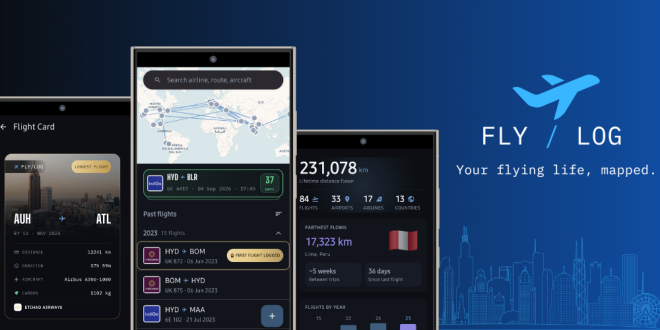
That’s FlyLog.
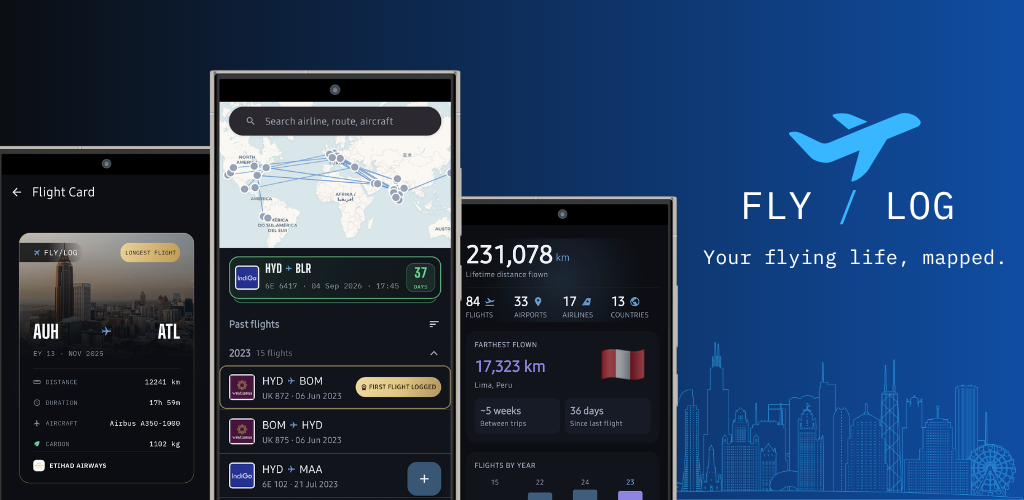
What Is FlyLog?
FlyLog is a personal flight logbook for Android. It’s built for a specific kind of traveller. The one who already tracks flights mentally, checks seat maps before the airline even sends the check-in reminder, and can recall a gate number from two years ago but not a single birthday. If that’s you, FlyLog just makes the record official.
The core idea is simple: your flights should live somewhere permanent, not scattered across email threads and Instagram Stories that expire from anyone’s attention in 48 hours.

How Does FlyLog Actually Work?
FlyLog is a Free flight logging app for Android, and amongst the simplest ones out there. All you need to do is download the app from the Play Store and log in with your Email ID or Google account. Then just forward your flight emails to your personalised FlyLog email address or configure your Google Calendar to automatically fetch your flight details; that’s it.
FlyLog reads the flight details, logs the trip, and adds it to your history automatically. No connecting your inbox. No granting blanket access to your email account. No background scanning of your personal messages.
Or just add flights manually if you’re logging older trips from memory. All three paths end up at the same place: a complete record of where you’ve flown.
FlyLog Features
Once your flights are in, this is where it gets interesting.
Your Flight Map
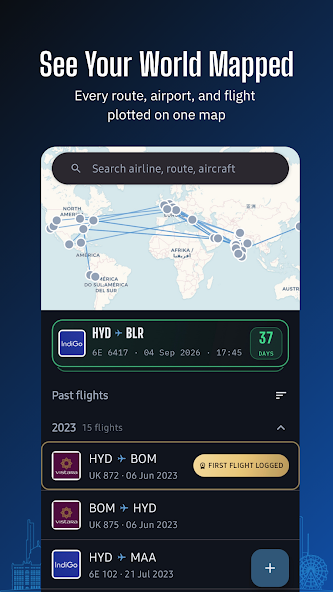
Every airport you’ve been through and every route you’ve flown, plotted on a map. Seeing it laid out visually is the Lima moment in miniature; you realise your travel footprint looks quite different from how you imagined it.
The Logbook
A proper, scrollable logbook with dates, routes, airlines, aircraft types and much more. The kind of thing that would have taken a spreadsheet and a lot of discipline to maintain manually. FlyLog just builds it for you as flights come in. Whether it’s a past flight or an upcoming one, FlyLog logs them all.
Shareable Flight Cards
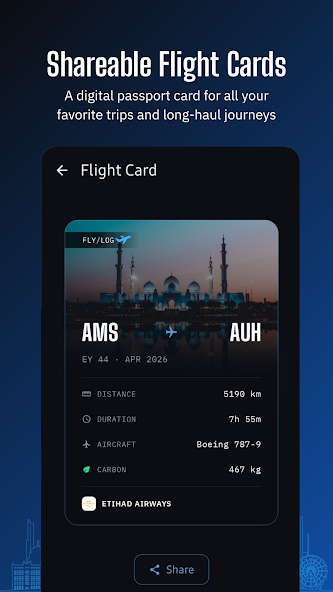
My favourite part of FlyLog is individual flight cards you can actually share. Not a screenshot of a spreadsheet, but a proper card with the route, airline, and details laid out cleanly. Useful if you like documenting trips on social, or if you just want something better than a boarding pass photo buried in your camera roll.
Your Flying Stats
This is the section I personally find most satisfying. FlyLog surfaces things like your busiest travel month, your red-eye percentage, your domestic vs. international split, your farthest flight from home, and total distance flown. These aren’t stats you’d think to track, they’re the kind that make you pause and think, huh, I didn’t realise that about myself.
Milestones and Badges
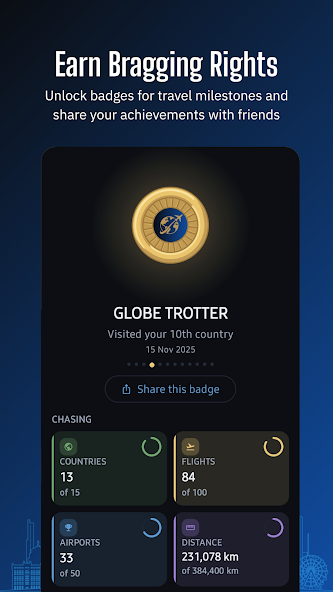
As your logbook grows, FlyLog marks milestones along the way: your 10th flight, your first long-haul, crossing a distance threshold. Small moments, but they add up to something that feels like a real travel history rather than a number in your head.
Why I Built This for Android Specifically
Flighty is genuinely excellent. I’m not going to pretend otherwise. But it’s been iOS-only since launch, and there’s a whole category of frequent travellers on Android who’ve been looking for something in the same spirit and finding nothing that quite fits.
FlyLog isn’t trying to be a live flight-status app. That’s a different problem with different infrastructure. What it is trying to be is a flight passport, a permanent, private, well-designed record of the flying you’ve done, built for the platform that a significant chunk of the world actually uses.
The privacy approach isn’t incidental to that. Most alternatives that try to automate flight logging do it by scanning your inbox continuously or linking your email account. That’s a level of access I personally wasn’t comfortable asking for, so FlyLog doesn’t ask for it. You forward what you want in. That’s the deal.
Who Should Download FlyLog
- Android users who’ve wanted a Flighty-equivalent and found nothing that fits
- Frequent flyers who track their travel history mentally but have no actual record
- Travellers who care about how their data is handled and don’t want to grant inbox access to a third-party app
- Anyone who’s ever stood somewhere far from home and wondered exactly how far they’ve actually flown
Download FlyLog
Download FlyLog from the Google Play Store, forward one flight confirmation email to your personal FlyLog address, or sync your Google Calendar, and see what your travel footprint actually looks like once it’s laid out in front of you rather than approximated in your head. That moment of recognition is what the whole thing is built for.
It’s early days. I’m building this as someone who wanted it to exist, and I’m genuinely curious what it turns into with real feedback from real travellers. More details and updates live at flylog.space – and if you try it and have thoughts, find me on Instagram @Atulmaharaj or drop me a note on Twitter/X @Atulmaharaj.